Mueller: shared JS error shells can merge sites as duplicates
Summary
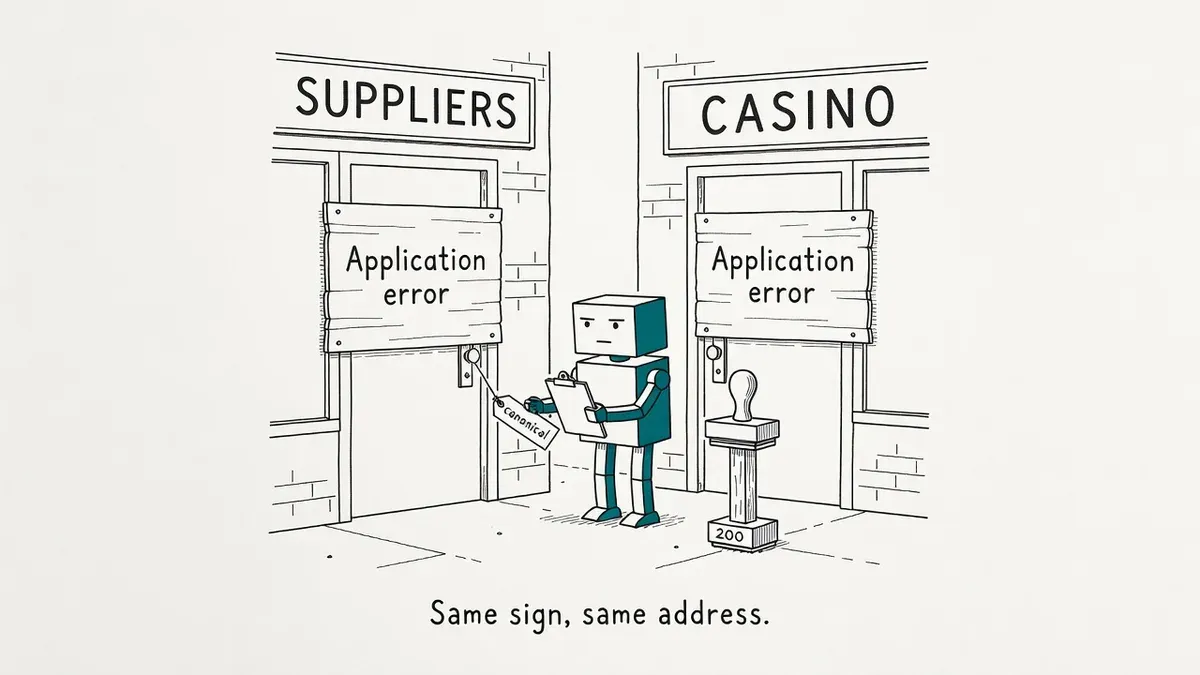
A site owner reported Google de-indexing their supplier pages and naming an unrelated casino domain as canonical. Another practitioner traced the same symptom to a shared JavaScript error shell that both sites served during outages.
John Mueller said the explanation could be an option and pointed to catching the error before deploy, with automated tests and content-level monitoring rather than HTTP status checks.
What happened
A site owner reported that Google had begun de-indexing their pages and picking an unrelated casino betting domain as the canonical URL. Search Engine Journal covered the Reddit thread and John Mueller’s replies to it.
The original poster runs pages about companies and suppliers. They described “a slightly but growing de-indexing” and said the page Google treats as canonical is a casino betting page with no content overlap. They could not find anything on that domain that came near their own content.
A second practitioner, posting as No_Wrap_9584, said the same thing had happened to them and offered a mechanism. They searched for the third-party canonical URL and found it indexed under the title “Application error: a client-side exception has occurred (see the browser console for more information).” That generic JavaScript error was the same message their own site showed during temporary outages.
They suspect Googlebot crawled an error or fallback response instead of real page content, then treated every URL serving that identical shell as a duplicate. Their case resolved on its own after a few weeks.
Mueller agreed the explanation could be an option and recommended Search Console’s live URL inspection to see how Google renders the page.
Why it matters
Mueller’s follow-up reply lists three possible outcomes, and all three end the same way:
- your page is canonical but indexed with the server message
- your page is seen as a soft 404, which Mueller said is what Google should be doing
- the other page is canonical
In every case the page stops showing in search for its normal content. The canonical selection is a symptom to diagnose, not the thing that broke.
Nothing in the pattern requires a rel=canonical tag on your site pointing anywhere. Duplicate clustering is Google’s own call, and Mueller has listed nine reasons Google overrides your rel=canonical.
The exposure is specific to client-side rendered front ends, where the browser builds the page from JavaScript instead of receiving ready HTML. A bad deploy still returns HTTP 200, and the error only appears once the script runs. Googlebot’s renderer then sees a page that looks identical to every other broken deploy on the web.
Timing makes it hard to catch afterwards. By the time the de-indexing surfaces, the error shell is long gone and everything renders fine, which is the same forensic problem as pages deindexed overnight despite clean GSC signals.
SEJ’s own read is more skeptical. A real cross-domain canonical needs the tag on your site pointing at the other domain, which would suggest a hack rather than clustering. Without that tag, SEJ argues, this is not a cross-domain canonical de-indexing at all, and the casino domain may be a coincidence the site owner latched onto.
What to do
Start with live URL inspection in Search Console on an affected page and read the rendered HTML rather than the summary. You are checking whether the rendered output is your content or an error shell.
Then check whether a rel=canonical on your own pages actually points off-domain. If it does and nobody on your team put it there, treat it as a hack and audit your CMS and templates.
Mueller’s real recommendation is pre-deploy. He runs automated tests before pushing his own small sites live and adds a new test every time something goes wrong, which costs a few minutes per run. Render your top templates in CI, assert the expected content is present, and fail the deploy when it is not.
For monitoring, assert on rendered content rather than on status codes. The error here is a browser-side exception, so a plain HTTP fetch never sees it. Load your most critical pages in a headless browser on a schedule, hourly in Mueller’s example, and check for both the presence of real content and the absence of known error strings.
// 200 is not the test. The rendered DOM is the test.
await page.goto("https://example.com/critical-page", { waitUntil: "networkidle" });
const body = await page.textContent("body");
if (/client-side exception/i.test(body)) throw new Error("error shell live");
if (!(await page.$("#product-grid"))) throw new Error("content missing");
Server-rendered sites get the same content check with a plain fetch.
Watch out for
A 200 that carries an error shell. The server answered, so uptime dashboards stay green and the incident never enters your outage history.
Self-recovery that looks like a fix. No_Wrap_9584’s case cleared after a few weeks with no intervention. Anything deployed during that window takes credit for a recovery it did not cause.
A clean render today. Search Console shows the page as it is now, not as it was when Googlebot met the error. A clean live test does not disprove the theory.
Cross-domain canonicals are the wrong tool regardless. Google’s guidance for syndicated content moved to a Googlebot or Googlebot-News noindex tag, and domain moves belong on a 301. The canonical stays a hint Google can ignore.