Pre-Launch Website Audit Skill
Install via Claude Code:
/plugin marketplace add bzsasson/pre-launch-audit-skill What it does
This skill turns Claude Code into a website auditor. Point it at any URL and it runs 5 sub-audits: technical SEO, AI accessibility, security, performance, and on-page SEO. It was built for pre-launch checks but works just as well on live sites.
A site that launches well is one where all the parts work together. Good performance means nothing if search engines can’t crawl the site. Solid SEO means nothing if the site leaks API keys. Clean security headers mean nothing if they break how Googlebot renders the page.
The 5 sub-audits aren’t independent checklists. They cross-reference each other, deduplicate findings, and surface shared root causes. One fix in the right place often resolves issues across multiple audits.
The output is a prioritized report: P0 launch blockers (fix or don’t ship), P1 launch-day items, P2/P3 backlog. Every finding includes what breaks if you ignore it, the exact file or config to change, and a command to verify the fix worked.
Stack detection
Before running any checks, the skill fingerprints your tech stack using HTTP headers, HTML signatures, DNS records, and JavaScript bundle paths. It then tailors every check to your specific framework and hosting setup.
Detection covers Next.js, Nuxt, Astro, SvelteKit, WordPress, Shopify, Webflow, Framer, Wix, Squarespace, Hugo, Jekyll, Eleventy, Drupal, and AI-generated apps (Lovable, Bolt, Base44, Replit). Each component gets a confidence score (HIGH/MEDIUM/LOW). You can correct the profile before the audit proceeds.
A Next.js site on Vercel gets ISR cache validation and NEXT_PUBLIC_* env var audits. A WordPress site gets plugin CVE checks and username enumeration detection. A vibe-coded Lovable app gets Supabase RLS probing and exposed endpoint sweeps.
The 5 sub-audits
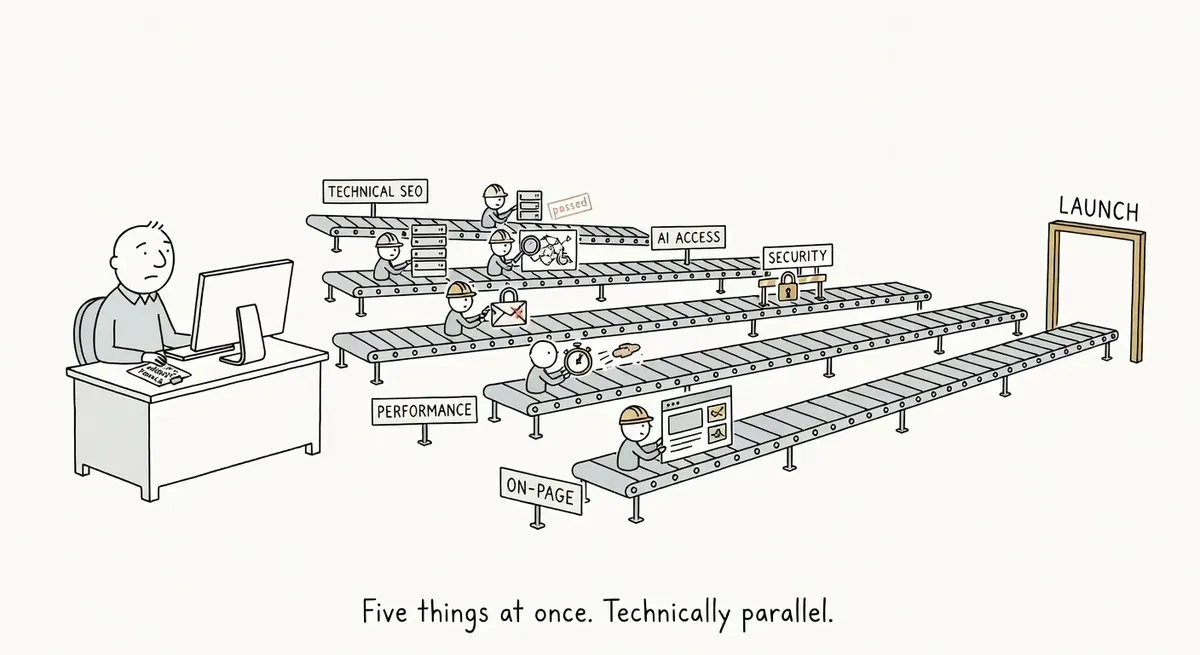
Security, AI accessibility, and performance start immediately and run in parallel. Technical SEO and on-page wait for the Screaming Frog crawl to finish (if SF is available). If SF isn’t installed, all 5 run in parallel using fallback tools.
AI Accessibility. Can AI search engines (ChatGPT Search, Perplexity, Google AI Overviews) see and cite your content? Checks robots.txt bot policies, llms.txt presence, ai-agent.json, and Cloudflare Bot Fight Mode conflicts (a common invisible killer that blocks AI crawlers without any visible error). Also runs cloaking detection by sending requests as Googlebot, GPTBot, and a normal browser to compare responses.
Technical SEO. Can search engines find and index your pages? Checks for indexation blockers, JS rendering issues, broken redirects, canonical conflicts, sitemap validation, structured data, internal linking, and the staging hostname leak check (hardcoded staging. or dev. URLs that would ship to production). This is the sub-audit where Screaming Frog adds the most value, because it crawls the full site rather than spot-checking individual URLs.
On-Page SEO. Is the content structured for search visibility? Title and meta description coverage, H1 structure, OG tags, image alt text, content quality signals (lorem ipsum detection, soft 404 pages returning 200 status), and faceted URL parameter sprawl.
Performance. Will the site be fast for real users? Core Web Vitals via Lighthouse, bundle size analysis, image optimization, caching headers, font loading strategy, render-blocking resources, and third-party script impact. Checks both mobile and desktop where tools allow.
Security. Are there exposed secrets, missing headers, or known vulnerabilities? Checks transport security (HSTS, TLS cert validity, DMARC), security headers (CSP, X-Frame-Options, Permissions-Policy), exposed secrets in HTML and JS bundles, known framework CVEs, and the vibe-coding checklist (Supabase anon-vs-service-key, Firebase rules, GraphQL playground exposure, unprotected API routes). This is pre-launch hygiene, not a penetration test.
Tools and costs
The skill probes for available tools at startup and tells you what it found before running. It works with whatever you have. At minimum, it needs bash.
| Tool | Cost | What it adds |
|---|---|---|
| bash | Free, always available | HTTP headers, DNS, TLS, HTML inspection, robots.txt, sitemap, secret scanning. The baseline for every sub-audit. |
| Playwright MCP | Free, ships with Claude Code | Browser automation, rendered DOM snapshots, JavaScript execution checks. |
| Chrome DevTools | Free | Accessibility tree, Lighthouse audits, console error monitoring, network analysis. |
| Screaming Frog MCP | Paid (SF license, free tier covers 500 URLs) | Full site crawl with custom extractions and searches. The deepest crawl data you can get. Requires Screaming Frog SEO Spider installed locally. |
| DataForSEO MCP | Paid (usage-based API) | Technology detection, Lighthouse API, AI search volume data. Supplements other tools but can be replaced. |
Without any paid tools, Playwright, Chrome DevTools, and bash cover all 5 sub-audits. Screaming Frog is the biggest upgrade for technical SEO (bulk crawl data vs. spot checks). DataForSEO adds breadth to tech detection but is the most replaceable.
Stack-specific checks
After detecting your framework, the skill injects targeted checks into the relevant sub-audits:
| Stack | What gets checked |
|---|---|
| Next.js / Vercel | ISR cache behavior, NEXT_PUBLIC_* env var exposure, server action auth, source maps in production, /api/* endpoint security, RSC rendered-DOM gaps |
| WordPress | Yoast/RankMath config, user enumeration via /wp-json/wp/v2/users, plugin CVE check, wp-config.php exposure, xmlrpc.php open |
| Shopify | /products.json data exposure, ?variant= faceted URL sprawl, Liquid rendering check, app-injected script performance |
| Nuxt | Server route auth (server/api/ is public by default), useAsyncData data leaks in client bundle |
| SvelteKit | CSRF origin checking, loader data serialization issues, +server.ts auth gaps |
| Astro | set:html XSS risk, SSR mode attack surface, middleware header configuration |
| Webflow / Framer | Client-side rendering gaps, Cloudflare Bot Fight Mode blocking AI crawlers, redirect manager coverage |
| Vibe-coded (Lovable/Bolt/Base44) | Supabase RLS probe (anon key vs service_role key), IDOR sweep, GraphQL playground exposure, AI endpoint rate limiting |
| Wix / Squarespace | Platform ceiling flags: the skill notes which findings are unfixable on managed platforms so you don’t waste time chasing them |
Pre-launch block handling
Most pre-launch audits trip over the fact that the site isn’t live yet. Robots.txt blocks everything, noindex is on every page, and Screaming Frog reports zero indexable URLs. A naive audit flags all of this as broken.
This skill classifies blocks by scope instead:
- Sitewide blocks (robots.txt
Disallow: /, global noindex): Expected. Flagged as P0 launch-day checklist items with the production replacement config, not treated as current bugs. - Section blocks (
/admin/,/api/,/draft/blocked): The skill asks whether these should stay blocked in production. Usually yes for admin and API routes. - Page-specific blocks (individual noindex, odd canonicals): These get closer inspection. A page in the sitemap with noindex is always a conflict, staging or not.
The audit focuses on what would happen after blocks are removed. Are canonicals correct? Are there redirect chains? Is structured data valid? Is the production robots.txt ready to deploy?
Customizing the skill
The skill is a set of markdown files that Claude reads as instructions. You can modify any of them by asking Claude directly.
Swap tools. “Replace DataForSEO with Ahrefs MCP in the pre-launch audit.” Claude will update the tool probing, fallback tables, and the relevant playbook sections to use Ahrefs API calls instead. Same approach works for swapping Chrome DevTools for Playwright, or adding any MCP tool Claude has access to.
Add framework checks. “Add Remix-specific checks to the pre-launch audit.” Claude will add a new entry to the stack detection table and create the corresponding security and SEO checks.
Change severity rules. “Make missing OG images a P1 instead of P2.” Claude will update the severity classification in the on-page playbook.
Modify the report. “Add a WCAG 2.1 AA compliance section to the audit report.” Claude will extend the report template and add relevant checks.
Add custom searches. The Screaming Frog crawl includes regex searches for staging hostname leaks, lorem ipsum, hardcoded HTTP, debug statements, and more. Ask Claude to add patterns specific to your codebase or CMS.
The skill files live in your project after installation. Changes are local to you and don’t affect the upstream repo. If you break something, reinstall from the marketplace to reset.
What’s in the repo
The skill is organized as a main orchestrator file with 5 audit playbooks and 5 reference docs that load on demand:
skills/pre-launch-audit/
  SKILL.md                         # Main orchestrator: phases, stack detection, report format
  audits/
    technical-seo.md               # Crawl analysis, indexation, redirects, structured data
    ai-accessibility.md            # Bot access, llms.txt, cloaking, AI citation readiness
    security.md                    # Headers, secrets, CVEs, vibe-coding checklist
    performance.md                 # CWV, Lighthouse, caching, bundle analysis
    on-page.md                     # Titles, descriptions, headings, content quality
  references/
    ai-crawler-landscape.md        # Bot taxonomy, user-agents, Cloudflare, llms.txt
    security-checks.md             # Header specs, vibe-coding patterns, secrets regex
    sf-power-workflows.md          # Screaming Frog extractions, JS snippets, CLI usage
    performance-budgets.md         # CWV thresholds, diagnostic playbooks, caching patterns
    stack-profiles.md              # 15 stack fingerprints, bash recon commands, platform ceilings
Only the files needed for selected sub-audits get loaded into context. If you skip performance and security, those playbooks and references never get read.
SKILL.md
---
name: Pre-Launch Website Audit
description: >
  Run a comprehensive pre-launch website audit covering technical SEO, AI accessibility,
  security, performance, and on-page SEO. Detects tech stack, tailors checks to framework,
  orchestrates 5 sub-audits with parallel execution, and delivers a prioritized report
  with stack-specific fix recommendations. Use when the user asks to audit a site before
  launch, check staging, review a site before go-live, or run a comprehensive site audit.
---

# Pre-Launch Website Audit Skill

Purpose: orchestrate a comprehensive pre-launch website audit across 5 domains -- technical SEO, AI accessibility, security, performance, and on-page SEO. Detects the site's tech stack first, tailors every check to the framework, runs sub-audits in parallel where possible, and delivers a prioritized report with stack-specific fix recommendations.

**Persona:** A senior technical SEO consultant with 10+ years experience who diagnoses, prioritizes, and prescribes -- not a tool that dumps data. Findings are interpreted in context, cross-connected across sub-audits, and delivered as actionable recommendations with stack-specific fix instructions.

## When to trigger this skill

Trigger when the user:
- Asks for a **pre-launch audit**, **launch check**, or **site review**
- Says "is this ready to ship?" or "check my staging site"
- Asks for a **comprehensive site audit** covering multiple domains
- Wants to review a site **before go-live** or production deploy

Do NOT trigger for:
- Keyword research or content writing
- Single-tool audits (use the `screaming-frog-audit` skill instead)
- General SEO strategy questions
- Post-launch monitoring only

## Persona & Behavior Rules

1. **Interpret, don't enumerate.** "Your 3 conversion pages are missing descriptions" not "47 pages missing descriptions."
2. **Stack-specific fixes.** "Add this to `src/middleware.ts`" not "add security headers."
3. **Acknowledge what's good.** Builds trust, shows the audit isn't just negative.
4. **Business impact first.** Every P0/P1 explains business consequence, not just technical status.
5. **Top 5 issues** as opening section.
6. **Cross-connect findings** across sub-audits. Same root cause = one fix, not 5 separate line items.
7. **Pre-launch block awareness.** This skill audits sites that are *not yet live*. Expect crawl blocks, noindex directives, and staging configurations. Classify each block by scope and intent:

### Pre-Launch Block Classification

Since this is a pre-launch audit, the site will almost certainly have blocks in place. Do NOT treat expected pre-launch blocks as bugs. Instead, classify every block you find:

**Sitewide blocks** (robots.txt `Disallow: /`, middleware-injected `noindex` on all pages, staging WAF rules):
- These are normal pre-launch protective measures
- Report as: "Expected pre-launch block -- must be removed at launch"
- Flag as P0 launch-day checklist item, not as a current bug
- Provide the exact replacement configuration (e.g., production robots.txt template)

**Section/category blocks** (e.g., `/admin/` disallowed, `/api/` disallowed, `/draft/` noindex):
- Ask: "Should these remain blocked in production?"
- `/admin/` and `/api/` blocks are usually intentional for production too
- Category-level noindex on staging-only sections needs explicit confirmation

**Page-specific blocks** (individual page noindex, canonical pointing elsewhere, `X-Robots-Tag: noindex` on specific URLs):
- These warrant closer inspection -- they may be intentional (login pages, thank-you pages) or accidental (template bug applying noindex to a content page)
- Cross-reference against the sitemap: a page in the sitemap with noindex is always a conflict, pre-launch or not

**How this affects the audit:**
- When SF reports "Total Internal Indexable URLs: 0" on a pre-launch site with sitewide `Disallow: /`, that's expected -- don't alarm the user
- Focus the technical SEO audit on what *would* happen after blocks are removed: are canonicals correct? Are there redirect chains? Is structured data valid?
- The robots.txt audit shifts from "is it blocking correctly?" to "is the production robots.txt ready to deploy?"

---

## Phase 0: Tool Probing & Stack Detection

Run all probes in parallel before anything else.

### Tool probing

- **DCL-wrapper:** `call_mcp_tool(mcp_name='dcl-wrapper', tool_name='list_available_mcps', arguments={})` -- check for `dataforseo`, `chrome-devtools`
- **SF MCP:** `mcp__screaming-frog__sf_check` -- verify installed + licensed
- **Playwright/browser:** attempt `mcp__plugin_playwright_playwright__browser_snapshot` or Chrome DevTools snapshot

Record which tools are available and which are missing. Report to user in Phase 1.

### Stack detection (5-layer bash recon)

Run all layers in parallel:

**Layer 1: Headers + status (3 user-agents, cloaking check)**
```bash
# Normal browser UA
curl -sI -A "Mozilla/5.0 (Macintosh; Intel Mac OS X 10_15_7) AppleWebKit/537.36" https://example.com

# Googlebot UA
curl -sI -A "Mozilla/5.0 (compatible; Googlebot/2.1; +http://www.google.com/bot.html)" https://example.com

# GPTBot UA (cloaking/AI blocking detection)
curl -sI -A "Mozilla/5.0 AppleWebKit/537.36 (KHTML, like Gecko; compatible; GPTBot/1.2; +https://openai.com/gptbot)" https://example.com
```
Compare status codes across UAs. Different status = cloaking or bot blocking.

**Layer 2: Root files**
```bash
curl -sL https://example.com/robots.txt
curl -sL https://example.com/sitemap.xml | head -50
curl -sL https://example.com/llms.txt
curl -sL https://example.com/security.txt
curl -sL https://example.com/.well-known/ai-agent.json
```

**Layer 3: HTML signatures (framework fingerprints)**
```bash
curl -sL https://example.com | grep -oiE '(__NEXT_DATA__|/_next/static/|window\.__NUXT__|/_nuxt/|/_astro/|data-astro-cid|__sveltekit|/_app/immutable/|wp-content|wp-includes|cdn\.shopify\.com|Shopify\.theme|data-wf-page|data-wf-site|wixstatic\.com|generator.*meta)'
```

**Layer 4: DNS + TLS**
```bash
dig CNAME example.com +short
dig TXT example.com +short
dig TXT _dmarc.example.com +short
openssl s_client -connect example.com:443 -servername example.com </dev/null 2>/dev/null | openssl x509 -noout -dates -subject -issuer
```

**Layer 5: Bundle inspection (JS src paths)**
```bash
curl -sL https://example.com | grep -oE 'src="[^"]*\.js"' | head -20
```

### DataForSEO supplement

If DataForSEO is available via DCL-wrapper:
```
call_mcp_tool(mcp_name='dataforseo', tool_name='domain_analytics_technologies_domain_technologies', arguments={"target": "example.com"})
```
Use as supplement, not primary -- sparse for static sites.

### Stack fingerprint cheat sheet

| Stack | Header signal | HTML/path signal | DNS / infra |
|---|---|---|---|
| Next.js | `x-powered-by: Next.js`, `x-nextjs-cache`, `x-vercel-id` | `__NEXT_DATA__`, `/_next/static/` | CNAME `cname.vercel-dns.com` |
| Nuxt | `x-powered-by: Nuxt` | `window.__NUXT__`, `/_nuxt/` | -- |
| Astro | -- | `/_astro/`, `data-astro-cid-*`, generator meta | -- |
| SvelteKit | -- | `__sveltekit_*`, `/_app/immutable/` | Often Vercel/Cloudflare |
| WordPress | `x-pingback`, `link: ...wp-json` | `/wp-content/`, `/wp-includes/`, generator meta | -- |
| Shopify | `x-shopid`, `x-shopify-stage` | `cdn.shopify.com`, `Shopify.theme` | CNAME `shops.myshopify.com` |
| Webflow | `server: Webflow` | `data-wf-page`, `data-wf-site` | CNAME `proxy-ssl.webflow.com` |
| Wix | `x-wix-request-id`, `server: Pepyaka` | `wixstatic.com` | -- |
| CDN | `cf-ray` (CF), `x-vercel-id`, `x-served-by` (Fastly), `x-nf-request-id` (Netlify) | -- | -- |

**Output:** Confidence-scored stack profile (HIGH / MEDIUM / LOW per component).

---

## Phase 1: User Confirmation

Present detected stack, tool availability, and sub-audit menu. Example:

```
Stack detected:
- Framework: Next.js 14 (App Router) -- HIGH (x-nextjs-cache, __NEXT_DATA__, /_next/static/)
- Hosting: Vercel -- HIGH (x-vercel-id, CNAME)
- CDN: Cloudflare -- HIGH (cf-ray)
- Database: Supabase -- MEDIUM (supabase.co URL in bundle)

This means I'll tailor checks for:
- ISR cache validation, NEXT_PUBLIC_* audit, server action auth
- Cloudflare Bot Fight Mode AI crawler blocking check
- Supabase RLS probe (anon key vs service_role key)

Tools available: SF MCP (licensed), Chrome DevTools, DataForSEO, bash
Tools missing: none

Sub-audits:
1. Technical SEO (SF crawl + rendering checks) -- [run]
2. AI Accessibility -- [run]
3. Security -- [run]
4. Performance -- [run]
5. On-Page -- [run]

Skip any? Correct the stack profile?
```

Wait for user confirmation before proceeding. All 5 sub-audits run by default. User can skip any or correct the detected stack.

---

## Phase 2: SF Crawl Decision

If Technical SEO or On-Page sub-audits are selected:

1. Check for recent crawls: `mcp__screaming-frog__list_crawls` -- look for domain match < 24h old
2. If recent crawl exists: offer to reuse or run fresh
3. If no recent crawl: kick off fresh crawl, run non-SF sub-audits while waiting

### SF crawl configuration (pre-launch optimized)

- **Storage:** Database Storage mode
- **Directives:** Disable Respect Noindex, Disable Respect Canonicals, Disable Respect Robots.txt (audit mode -- see everything)
- **Extraction:** Enable Store HTML + Store Rendered HTML
- **Sitemaps:** Crawl Linked XML Sitemaps
- **User-Agent:** Googlebot Smartphone (mobile-first indexing completed July 5, 2024)
- **Rate limit:** 5 threads on staging environments
- **JS rendering:** Enabled for JS-dependent stacks (Next.js, Nuxt, SvelteKit, React SPA, Webflow, Framer)

### Custom extractions

| Name | Pattern | Type |
|---|---|---|
| JSON-LD @type | `//script[@type='application/ld+json']` | XPath |
| OG image | `meta[property='og:image']/@content` | CSS/XPath |
| Publish date | `//meta[@property='article:published_time']/@content` | XPath |
| Canonical | `link[rel='canonical']/@href` | CSS/XPath |
| H1 count | `count(//h1)` | XPath Function Value |

### Custom searches

| Name | Pattern | Notes |
|---|---|---|
| Staging hostname | `(?i)(staging\.|dev\.|\.local\|localhost)` | The #1 pre-launch killer |
| Lorem ipsum | `(?i)lorem ipsum` | Placeholder content leak |
| Hardcoded HTTP | `(src\|href)=["']http://` | Mixed content |
| Missing analytics | `gtag\|G-[A-Z0-9]+` | Does Not Contain mode |
| Console.log/debug | `console\.(log\|error\|warn)` | In rendered HTML |
| Soft 404 content | `(?i)(page not found\|404\|no results\|doesn't exist)` | On 200-status pages |
| Facet parameters | `(?i)(\?\|&)(color\|size\|sort\|filter\|page\|p)=` | Uncontrolled facets |

Kick off crawl with `mcp__screaming-frog__crawl_site`. Poll status with `mcp__screaming-frog__crawl_status` -- do not poll in a tight loop. Run non-SF sub-audits while waiting.

---

## Phase 3: Sub-Audit Execution

For each selected sub-audit, read the corresponding playbook from `audits/`. Each playbook is self-contained with its own checks, tool calls, and severity classifications.

### Execution order

```
SF crawl kicked off (if needed)
        |
        +-- Security audit (bash, Chrome DevTools)         } parallel
        +-- AI Accessibility audit (DevTools, bash, DFSEO) } (don't need SF)
        +-- Performance audit (DevTools Lighthouse, DFSEO) }
        |
        v SF crawl completes
        |
        +-- Technical SEO audit (SF exports + DevTools)    } after SF
        +-- On-Page audit (SF + DevTools + DFSEO content)  }
        |
        v All audits complete -> Phase 4
```

**Security, AI Accessibility, and Performance** run in parallel immediately -- they do not depend on the SF crawl.

**Technical SEO and On-Page** run after the SF crawl completes (they rely on crawl data).

If SF is unavailable, all 5 sub-audits can run in parallel using fallback tools.

### Playbook loading

Load only the playbooks for selected sub-audits:

- `audits/technical-seo.md`
- `audits/ai-accessibility.md`
- `audits/security.md`
- `audits/performance.md`
- `audits/on-page.md`

Follow each playbook exactly. Do not run checks from memory -- the playbooks contain the specific tool calls, filter names, severity classifications, and analysis checklists.

---

## Phase 4: Cross-Connection & Synthesis

After all sub-audits complete:

1. **Deduplicate.** A missing canonical shows up in both Technical SEO and On-Page -- report once, note which sub-audits surfaced it.
2. **Cross-connect.** "Your CSP blocks inline scripts, which is also breaking schema injection" -- same root cause, one fix.
3. **Rank by business impact** -- not just technical severity. A missing robots.txt `Sitemap:` directive is less impactful than a staging canonical leak.
4. **Group by action timeline** using this severity framework:

| Level | Label | Criteria |
|---|---|---|
| **P0** | Launch blocker | Causes deindexation, data breach, or site breakage |
| **P1** | Launch day | Meaningful regression, significant visibility/security gap |
| **P2** | Post-launch | Quality improvement, minor gaps |
| **P3** | Backlog | Nice to have, emerging standards |

---

## Phase 5: Report

Deliver the final report in this structure:

```markdown
# Pre-Launch Audit: <site>
Stack: <detected stack>
Date: <date>
URLs analyzed: <count>
Tools used: <list>

## Top 5 Issues
1. [what, why it matters, specific fix]
2. ...
3. ...
4. ...
5. ...

## Launch Blockers (P0)
[grouped by root cause, each with: business impact, stack-specific fix, verification command]

## Fix Within 24h (P1)
[same format]

## Post-Launch Backlog (P2/P3)
[same format]

## What's Already Good
[things done right -- builds trust, shows the audit isn't just negative]

## Post-Launch Monitoring Setup
[GSC, CrUX, Sentry, log drains -- what to wire before launch]

## Appendix: Detailed Findings by Sub-Audit
[full findings from each sub-audit, organized by sub-audit]
```

Every P0/P1 finding includes:
- Business impact (what breaks if you don't fix this)
- Stack-specific fix (exact file path, code snippet, or command)
- Verification command (how to confirm the fix worked)

---

## Stack-Specific Branching

After detecting the stack in Phase 0, add these additional checks to the relevant sub-audits:

| Stack | Additional checks |
|---|---|
| **Next.js / Vercel** | ISR cache audit, `NEXT_PUBLIC_*` env vars, server action auth, source maps in `/_next/static/`, `/api/*` IDOR sweep, RSC rendered-DOM gap |
| **WordPress** | Yoast/RankMath config, `/wp-json/wp/v2/users`, plugin CVEs, `wp-config.php`, `xmlrpc.php` |
| **Shopify** | `/products.json` exposure, `?variant=` faceted URLs, Liquid render check, app-injected scripts perf |
| **Webflow / Framer** | Rendered-DOM diff (CSR risk), Cloudflare Bot Fight Mode (June 2026 deadline), redirect manager |
| **Nuxt** | Server route auth (`server/api/` public by default), `useAsyncData` data leaks |
| **SvelteKit** | CSRF origin checking, loader data serialization, `+server.ts` auth |
| **Astro** | `set:html` XSS, SSR mode attack surface, experimental CSP flag, middleware headers |
| **Vibe-coded (Lovable/Bolt/Base44)** | Mandatory Supabase RLS probe, anon-vs-service-key, IDOR, GraphQL playground, AI-endpoint rate limiting |
| **Wix / Squarespace** | Flag platform ceilings -- don't chase unfixable findings |

These checks are injected into the relevant sub-audit playbooks at runtime based on the detected stack. For example, `NEXT_PUBLIC_*` env var audit goes into the security sub-audit; ISR cache audit goes into technical SEO.

---

## Graceful Degradation

Phase 0 probes tool availability. If a tool is missing, the skill tells the user what's unavailable, which sub-audits are affected, what alternative will be used, and proceeds with the fallback.

| Missing tool | Affected sub-audits | Fallback |
|---|---|---|
| SF MCP | Technical SEO (core), On-Page (enhanced) | DataForSEO `on_page_instant_pages` + bash curl spot-checks |
| Chrome DevTools | AI Accessibility (a11y tree), Performance (Lighthouse/trace), Security (console) | DataForSEO `on_page_lighthouse` + Playwright `browser_snapshot` + bash |
| DataForSEO | Stack detection (enhanced), Performance (Lighthouse API), AI Accessibility (AI search volume) | bash curl + Chrome DevTools Lighthouse + skip AI search volume |
| Playwright | Fallback browser tool | Chrome DevTools is primary anyway |
| All MCP tools | Everything | bash-only mode: curl headers/robots/files, dig DNS, openssl TLS, grep bundles |

Every sub-audit has a minimum viable path using just bash.

---

## Audit playbooks (load on demand)

- `audits/technical-seo.md`
- `audits/ai-accessibility.md`
- `audits/security.md`
- `audits/performance.md`
- `audits/on-page.md`

Load only the playbook(s) for selected sub-audits. Each is self-contained.

## Reference files (load on demand)

- `references/ai-crawler-landscape.md` -- 4-category bot taxonomy (training, search/retrieval, user-action fetch, AI browsers/agents), user-agents, robots.txt templates, Cloudflare traps, llms.txt, GEO real vs hype
- `references/security-checks.md` -- transport/DNS, headers, CORS/SRI, vibe-coding 11-point checklist, Supabase RLS, Firebase, IDOR, framework CVEs, secrets patterns
- `references/sf-power-workflows.md` -- custom extraction, JS snippets, API integrations, crawl comparison, named workflows, .seospiderconfig, CLI
- `references/performance-budgets.md` -- CWV 2026 thresholds, LCP/INP/CLS playbooks, caching patterns, Early Hints, Speculation Rules, bf-cache, bundle budgets
- `references/stack-profiles.md` -- fingerprint cheat sheet, bash recon commands, stack-specific quirks, platform ceilings, vibe-coded platforms

Load when a sub-audit or analysis requires deeper reference material.

---

## Cost and Safety Notes

- **SF free mode:** 500 URL cap. Warn if the target site is larger.
- **Large crawls (>500k URLs):** Need Database Storage mode + 16GB RAM. Warn before starting.
- **JS rendering:** 5-10x slower and memory-heavy. Only enable when the audit needs it (JS-dependent stacks).
- **Crawl data:** Don't delete crawls without user confirmation -- they're expensive to regenerate.
- **Security scope:** This is pre-launch hygiene, NOT a penetration test. No SQLi/XSS fuzzing, no authenticated session abuse. The security sub-audit checks headers, secrets exposure, known CVEs, and vibe-coding patterns. It does not replace a professional security assessment.