Lighthouse now grades pages for AI agents on accessibility and CLS
Summary
Lighthouse's new AI agent category is mostly a relabeled readout of accessibility and layout stability. It adds two new checks, one for WebMCP annotations and one for llms.txt formatting. A site with no AI features can still get full marks.
Fix what it flags in the accessibility tree and in layout shifts, since those failures hurt human visitors too. Keep any existing llms.txt well-formed. Treat the score as provisional while Lighthouse marks the category under development.
Lighthouse 13.3 added a new report category called Agentic Browsing, which checks how easily AI agents can use a page. DebugBear, which sells page speed monitoring, published a walkthrough of the new category that lists four checks and two caveats. The category is still marked “under development”. A site also does not fail it for lacking new AI features: example.com, which has none, gets a green 2/2.
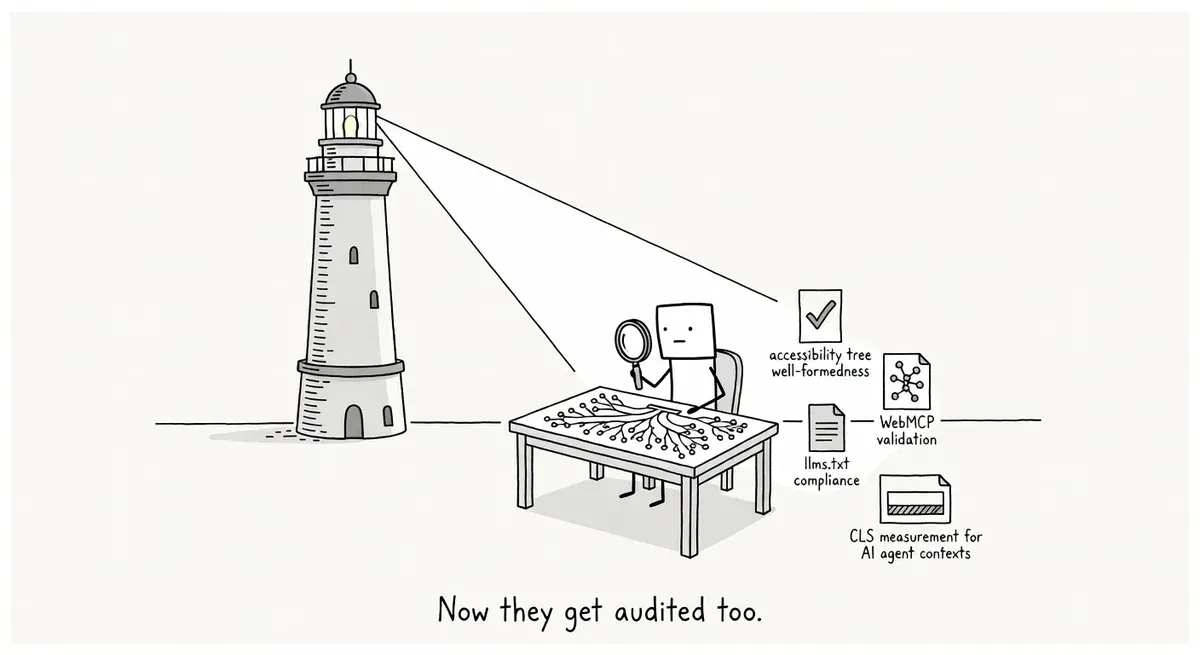
Two of the four checks reuse data Lighthouse already collected. The accessibility tree audit is built from Lighthouse’s existing accessibility checks. The accessibility tree is the browser’s stripped-down version of the page, listing each element’s role, name and state. Screen readers and AI agents both read it. The layout shift check reports the existing Cumulative Layout Shift (CLS) score under a new heading.
The other two audits are new:
- WebMCP validation. WebMCP is a proposed browser API that lets a site offer named actions an agent can call inside the visitor’s own browser session. The audit checks whether forms carry the HTML version of the WebMCP annotations and whether those annotations match the expected schema. It also lists every WebMCP tool registered on the page, whether it was added through HTML annotations or in JavaScript with
navigator.modelContext.registerTool. - llms.txt. The audit checks whether the site has an llms.txt file. If the file exists, Lighthouse flags it when it has no H1 heading, is too short, or contains no links. DebugBear’s post adds that few AI tools use llms.txt yet.
Why accessibility and layout count for agents
Google’s web.dev guide to building agent-friendly websites explains the reasoning behind the reused checks. Agents read a page in three ways: screenshots, raw HTML, and the accessibility tree. The guide calls screenshot analysis slow and expensive in tokens, so it works best as a fallback when the page structure is unclear. The accessibility tree gives an agent a clean list of buttons, inputs and links without the visual noise of CSS. On layout, the guide warns that “agents that take screenshots will likely be confused if your website layout is constantly shifting.” DebugBear adds that an agent may act on a page faster than a person would, so shifts that happen while the page loads can disrupt an agent more than a human visitor. The earlier story on Google telling developers to build sites that AI agents can use covers the rest of the guide.
These checks matter most for AI browsers and agents that operate a page by clicking buttons and filling in forms. Crawlers that only fetch HTML do not click anything, so a shifting layout or a badly labeled button likely costs them little. The llms.txt audit is the only one aimed at crawlers as well as agents.
Taken together, the category mostly repackages accessibility and CLS results under an agent label. The likelier cause of a poor score is an accessibility bug or a layout shift that already hurts human visitors, not a missing AI feature. The web.dev guide makes the same point: anything that makes a site easier for agents to use also makes it better for people. The better bet is to treat the score as one more reason to fix those problems rather than as a new number to chase, especially while its audits can still change.
What to do
- Run the new category. PageSpeed Insights and Chrome DevTools still ran an older Lighthouse version when DebugBear published, so use DebugBear’s free website quality checker (open the Lighthouse tab in the sidebar after the test) or the command line:
npm install -g lighthouse@latest
lighthouse --view https://example.com/- Fix accessibility tree failures first. The web.dev guide recommends real
<button>and<a>elements instead of styled<div>and<span>elements,roleandtabindexwhen a<div>has to stay, and aforattribute on every<label>so each input carries its label text. - Fix layout shifts in the same way you would for Core Web Vitals, since the audit reports the same CLS number.
- If you already publish an llms.txt file, give it an H1 heading and links so the audit passes. Going by the example.com result, a site without the file is not marked down, so there is no reason to add one just for this score.
- If you have added WebMCP annotations, use the audit’s list of registered tools to confirm that each one is detected and matches the schema. The web.dev guide says the WebMCP APIs are available in Chrome as an origin trial, so most sites have nothing to check here yet.