Agent tools built on WebMCP's old API may now register nothing
Summary
WebMCP's draft spec moved tool registration from navigator.modelContext to document.modelContext in May 2026, so older code may register no tools and show no error.
Search your codebase for navigator.modelContext and point those calls at document.modelContext behind a feature check.
WebMCP’s draft specification registers agent-callable tools on document.modelContext, not on the navigator.modelContext object the explainer used until May 2026. Semrush’s guide to WebMCP documents the current call, document.modelContext.registerTool(), and notes that Google opened a public origin trial of the standard in Chrome 149.
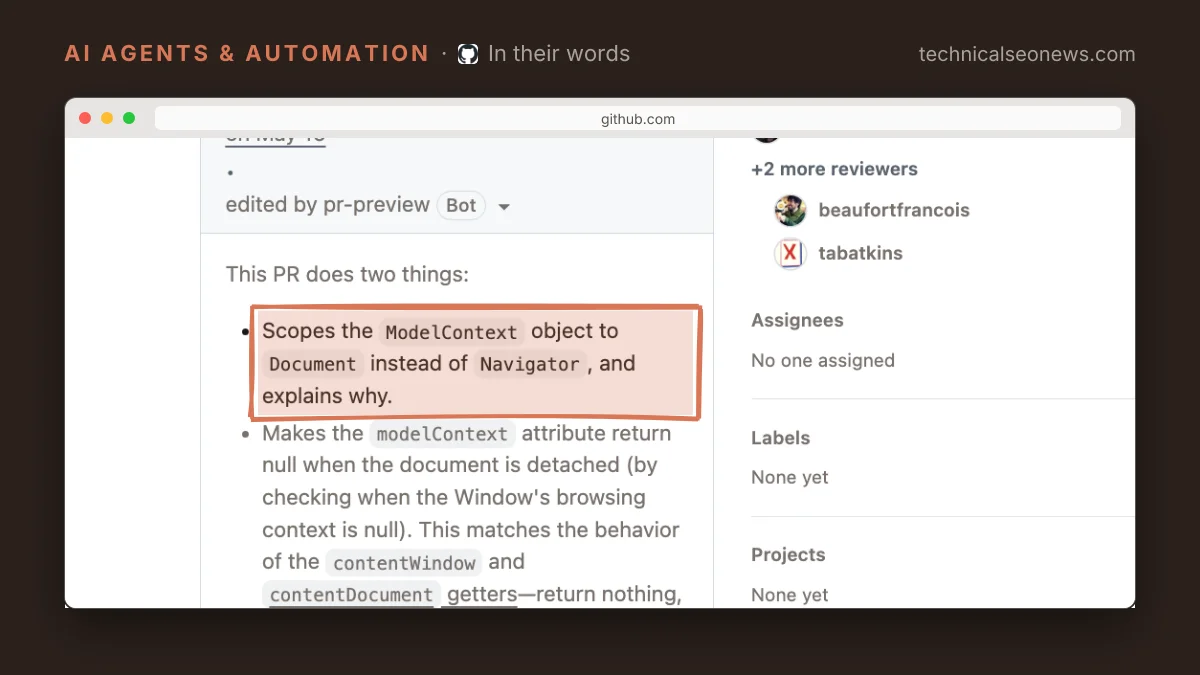
The change happened in the standard’s own repository, in a pull request that scoped ModelContext to the document merged on 19 May 2026. Semrush’s guide carries a note on it: earlier versions of WebMCP used navigator.modelContext, and code examples and tutorials built on the older interface “may no longer work without updating them.” Code written before the change registers against an object the spec no longer defines, and the likelier result is a page that behaves normally for human visitors while an agent arriving in the tab finds no tools at all. There is no broken layout, no error page, and nothing in analytics to notice.
Testing for the object before using it covers both names:
const modelContext = document.modelContext ?? navigator.modelContext;
if (!modelContext?.registerTool) {
  return; // no WebMCP in this browser
}

const controller = new AbortController();
await modelContext.registerTool(
  {
    name: "searchFlights",
    description: "Search flights by origin, destination, and date.",
    inputSchema: { /* origin, destination, date */ },
    async execute({ origin, destination, date }) {
      // call your existing search logic here
    },
  },
  { signal: controller.signal }
);
The navigator fallback costs nothing to add, though it only helps in a browser build that still exposes the old object. Neither Semrush’s guide nor the explainer says which object a given Chrome 149 build exposes, which is the reason to check both. Test for registerTool on whichever object you find rather than assuming the two offer the same methods.
Sites that took the HTML route have nothing to change. The declarative half of WebMCP turns an existing form into a tool through attributes, toolname and tooldescription being the two required ones, and the browser reads the form fields and builds the agent’s input schema itself. Only the JavaScript interface moved, so a reservation form marked up with those attributes still works.
Scoping the interface to the document also matches how long these tools live. Per Semrush’s guide, tools are callable only from the open tab, and an agent loses them as soon as it navigates away or the tab closes. Registration belongs in the code that runs on each page offering a tool, not in a one-time setup step.
None of this involves crawlers. WebMCP tools are called by AI browsers and agents working inside a user’s open, often logged-in tab, not by crawlers such as GPTBot, so robots.txt and bot blocking have no bearing on whether a tool registers. An agent calling a tool also leaves a different trace than a crawler fetch, which matters when debugging.
What to do
- Search the codebase for
navigator.modelContextand point those calls atdocument.modelContextbehind the guard above. - Re-check any WebMCP code copied from a tutorial or a community polyfill published before mid-2026. The object name is the first thing to look at, before the method signature.
- Leave
toolautosubmitoff anything that books, buys, or writes. Manual submission is the default for declarative tools, and that default is what keeps a person on the last step. - Call
requestUserInteractioninside tools that do something sensitive, which pauses the tool and asks the user to confirm before it proceeds. - Treat the whole interface as provisional. WebMCP is a draft in the W3C Web Machine Learning Community Group with editors from Google and Microsoft, and the Chrome 149 trial is for experiments on live sites rather than a shipped feature.
PageSpeed Insights’ agentic browsing audits give one outside check on whether a page presents anything to agents at all.
Watch out for
A WebMCP tool acts with whatever the user’s session can do, which is the part worth being slow about. Semrush’s guide flags instructions hidden in content a site does not control, a product review for example, as a route to getting an agent to call a tool it should not. Keeping each tool narrow limits the damage, so that a tool which searches cannot also change an address or place an order.