A noindex tag does not stop AI bots from using your bandwidth
Summary
AI bot load has to be cut before the request happens, in robots.txt or at the server. A noindex tag is only read after the page has been sent, and it decides what appears in search results, not what gets fetched.
Server logs show which bots cost the most. Block unwanted crawlers by their own user agent token, and keep the search bots behind AI answers your customers use.
AI crawlers now cost sites real bandwidth and server capacity, according to Botify’s January 29, 2026 post on AI bot traffic. Botify, which sells an enterprise SEO platform built around crawling and log file analysis, says AI bot traffic grew sharply across 2025. Its clearest number comes from the Wikimedia Foundation, which runs Wikipedia: AI bots made up 35% of Wikimedia’s pageviews but 65% of its most expensive requests.
The imbalance comes from how AI bots read a site. Botify’s post passes on Wikimedia’s observation that AI bots pull large parts of a content catalog in bulk, unlike the crawlers that feed search engines. When AI bots use up the baseline bandwidth, Botify writes, little is left for human customers or for the crawlers that help a site’s visibility. The post does not measure whether that squeeze has slowed Googlebot on any specific site.
Noindex is read after the page is sent
A noindex tag cannot reduce any of that load. Google’s robots meta tag reference says these settings “can be read and followed only if crawlers are allowed to access the pages that include these settings.” The tag sits in the HTML head or in an X-Robots-Tag response header, so a bot only sees it after requesting the URL and receiving the response. By then the server has done the work and the bandwidth is spent.
Noindex also answers a different question. It controls whether a page shows in search results, and Google’s reference says the robots meta tag applies to search engine crawlers. It is not an instruction about fetching, and it is not a training opt-out.
Robots.txt acts before the request instead. A compliant crawler checks it before fetching, so a disallow rule prevents the download. The trade-off is that robots.txt blocks crawling but not indexing, as an earlier article on noindex versus disallow for stub pages covers.
OpenAI’s bots each need their own rule
OpenAI’s crawler documentation splits its traffic into separate user agents, and blocking one does not block the others:
- GPTBot crawls content that may be used to train OpenAI’s foundation models. Disallowing it tells OpenAI not to use the site for training.
- OAI-SearchBot fetches pages for ChatGPT’s search features. Sites that block it are not shown in ChatGPT search answers, though they can still appear as navigational links.
- ChatGPT-User visits a page when a person asks ChatGPT or a custom GPT a question. Because a user starts the request, OpenAI says robots.txt rules may not apply.
Botify recommends sorting bots into those you serve, restrict, or block rather than calling them good or bad. Its own example is allowing live-retrieval bots so fresh content reaches AI platforms, while restricting training crawlers so the content does not surface uncited in answers built from training data.
Logs show which bots cost the most
Botify’s post calls log file analysis the fastest way to decide which group each bot belongs in, because logs record exactly what each bot requests. Botify’s rule of thumb is that steady, broad crawling often looks like indexing, while high-volume access across a wide range of pages may point to training scrapers. The post also warns that not every AI crawler is easy to identify. User agent strings can be copied, so OpenAI traffic is worth checking against the IP ranges OpenAI publishes for each bot.
For bots a site keeps, Botify’s answer is SpeedWorkers, its own product that serves bots a pre-rendered cached copy so their requests do not hit the origin server. The idea holds apart from the product: a cache lowers the cost of the bots you keep, and robots.txt removes the ones you drop.
What to do
- Measure first. Group server log requests by user agent and compare request counts and bytes served for GPTBot, OAI-SearchBot, ChatGPT-User, and Googlebot. Confirm identities against the published IP ranges before acting on a user agent string.
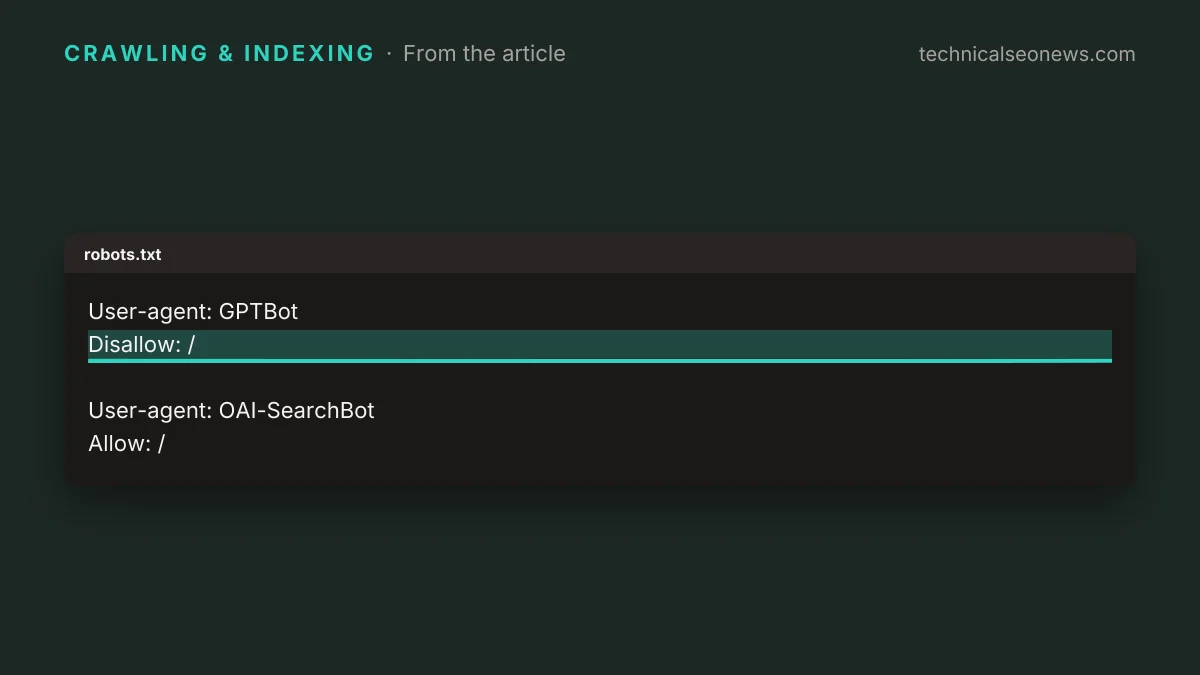
- Block unwanted crawlers in robots.txt by their own token. A site that wants ChatGPT search visibility but no training crawl would use:
User-agent: GPTBot
Disallow: /

User-agent: OAI-SearchBot
Allow: /
OpenAI says its search systems can take about 24 hours to adjust after a robots.txt change.
- Remove any noindex tags added only to cut bot load. Keep noindex where the goal is keeping a page out of search results.
- Expect ChatGPT-User requests to continue after a robots.txt change. The likely cost of blocking them at the server is that ChatGPT cannot open your pages when a user asks about them, so count that traffic separately before deciding.