Cloudflare can redirect AI training bots to your canonical URLs
Summary
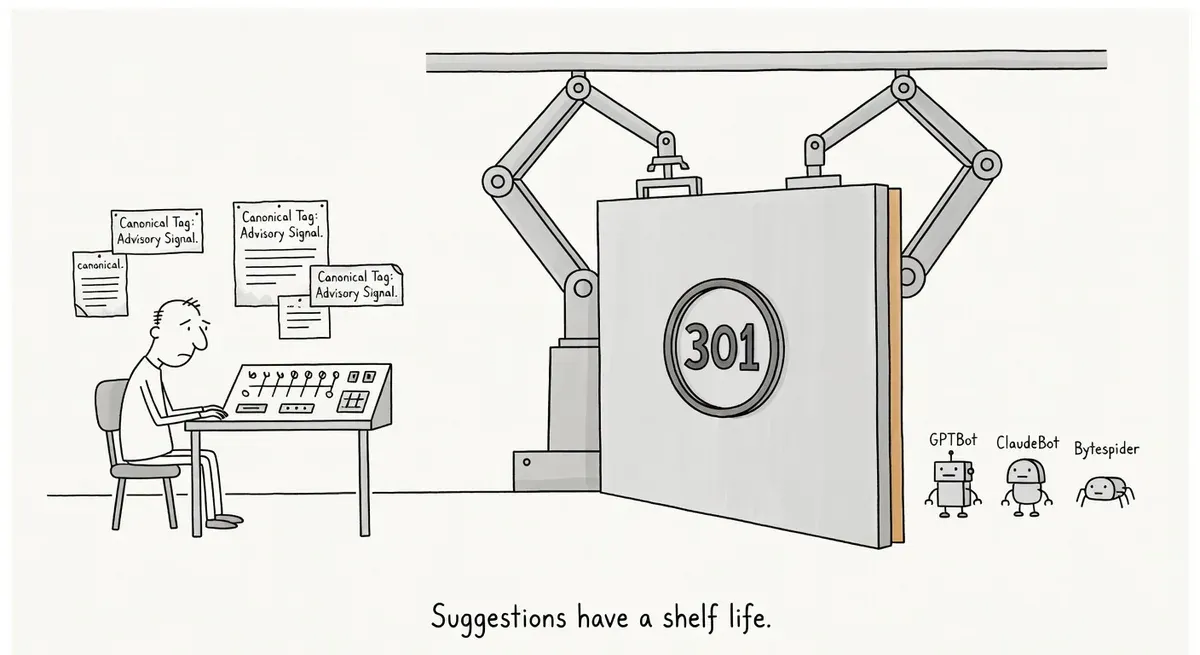
Cloudflare's new setting turns every cross-page canonical on a site into a permanent redirect for AI training crawlers. Search engines and AI assistants still see the page. For deprecated documentation, it does what banners and noindex tags did not: it keeps training crawlers off the old page.
Before switching it on, list the pages whose canonical points elsewhere on the same host. Training crawlers will stop reading all of them, so first fix any canonical that points to a page with different content.
Cloudflare now offers a setting that turns a page’s canonical tag into a 301 redirect for AI training crawlers such as GPTBot, ClaudeBot and Bytespider. Cloudflare’s announcement post calls the feature Redirects for AI Training and describes it as a single toggle on paid plans. Browsers, search engine crawlers, and the bots behind AI search and AI assistants still get the original page.
Cloudflare built the feature because training crawlers ignore the usual signals that a page is out of date. The old Wrangler v1 documentation carries a deprecation banner, a noindex tag and a canonical pointing to the current docs. According to the post, AI crawlers still read deprecated pages at the same rate as current ones. Noindex works for search engines, but there is no equivalent tag that says “do not train on this”, and blocking the crawler leaves it with nothing to learn instead. A 301 to the canonical stops the crawler from reading the old page and tells it where the current one lives.
Cloudflare’s own docs were the test case
In March 2026, OpenAI crawled Cloudflare’s legacy Workers documentation around 46,000 times. In April, a leading AI assistant was asked how to write KV values with the Wrangler CLI. It answered with kv:key put, a colon syntax deprecated in Wrangler 3.60.0 and replaced by wrangler kv key put. Cloudflare’s post suggests the crawled deprecated pages may explain the wrong answer, without claiming proof.
After Cloudflare switched the feature on for developers.cloudflare.com, every AI training crawler request to a page with a non-self-referencing canonical was redirected during the first seven days. That result measures what crawlers received, not what models now answer. Cloudflare calls better AI answers a hypothesis it is still checking, because training pipelines are closed and recrawl timing varies. The redirect also does nothing about content that models have already been trained on.
When the redirect fires
Cloudflare’s documentation for the feature lists Pro, Business and Enterprise plans at no extra cost. A redirect happens only when all of these conditions hold:
- The request comes from a verified bot in Cloudflare’s AI Crawler category. AI Search and AI Assistant bots are left alone, as are crawlers that fake their identity with a training bot’s user agent.
- The origin returns HTML, and the canonical tag sits in the
<head>within the first 256 KB of the uncompressed body. - The canonical points to a different URL on the same origin. Relative URLs are resolved against the request URL. Cross-domain canonicals and self-referencing canonicals pass through unchanged.
- No Single Redirect or Bulk Redirect rule matched first. Those rules run before Cloudflare contacts the origin. Redirects for AI Training runs after the origin responds, because it has to read the canonical tag from the HTML.
When page A canonicalizes to page B and B points back to A, Cloudflare catches the loop on a best-effort basis through the Referer header and serves the HTML instead.
Canonical tags become redirects for training bots
Cloudflare’s post groups the canonical tag with noindex and banners as advisory signals. With the toggle on, it is no longer advisory for training crawlers. Every page whose canonical points elsewhere on the same host drops out of training crawls, a consequence the post does not spell out. For true duplicates, that is the goal.
Sites with loose canonicals are where it can go wrong. A paginated archive canonicalized to page 1, or filtered listings canonicalized to the parent category, would no longer be read by training crawlers. Neither would the links those pages carry.
Whether that matters depends on whether a site wants that content in training data at all. The likeliest winners are documentation sites that keep deprecated versions live and want models to learn the current version.
What to do
- Crawl the site before enabling the setting and export every HTML page whose canonical points to a different URL on the same host. Training crawlers will stop reading every page on that list. Fix any canonical that points to a page with different content.
- On deprecated pages, point the canonical at the replacement page. A noindex tag or a banner on its own triggers nothing.
- Put the canonical tag near the top of the
<head>. Large inline scripts or style blocks placed before it can push it past the 256 KB limit. - Turn it on in AI Crawl Control > Quick Actions > Redirects for AI Training, or through the API. If only part of the site needs it, enable it through a Configuration Rule instead of for the whole zone. Cloudflare’s documentation shows a rule matching
http.host eq "docs.example.com"withredirects_for_ai_trainingset to true.
curl -X PATCH 'https://api.cloudflare.com/client/v4/zones/{zone_tag}/settings/redirects_for_ai_training' --header 'Content-Type: application/json' --header "Authorization: Bearer {api_token}" --data-raw '{"value": "on"}'- Check that it works in your HTTP request logs. Each redirect records its target in the
redirects_for_ai_training_targetfield, which you can query through the GraphQL Analytics API or Logpush.